Running a campaign · Chapter 6
The job description
The one-page advertisement Digital Nancy drafts from the person specification and everything the briefing gathered, the questions she could not settle, and approving it.
In this chapter you will
Drafting it
The job description is the advertisement for the role the person specification tests, so it comes after the specification, and is written from the version you work from (see The version you work from). If that version changes after the description is written, the part says which version it was written from: Redraft it to describe the one worked from now. Open the Job description part of the briefing and click Draft with Digital Nancy, at the top right. A line under the heading says whether the employer is named to candidates, and whether the profile's About us paragraphs exist yet: Where they do, the description carries those words under About us and no more; where they do not, it is drafted from the whole profile, which is longer than an advertisement wants. See Your clients, or your departments. Digital Nancy reads the specification as it stands, and everything gathered: The client's documents, the briefing sheet, your questions, your notes and the transcript. You do not need all of them. The client's documents alone are enough to draft from, and so is the conversation alone; without a specification the description is drafted from those, and can be drafted again once the specification exists.
A blue line says Digital Nancy is drafting, and the description appears beneath it when it is ready, usually in a minute or two, without reloading the page. It is written as the one-page advertisement a candidate will read, in this order:
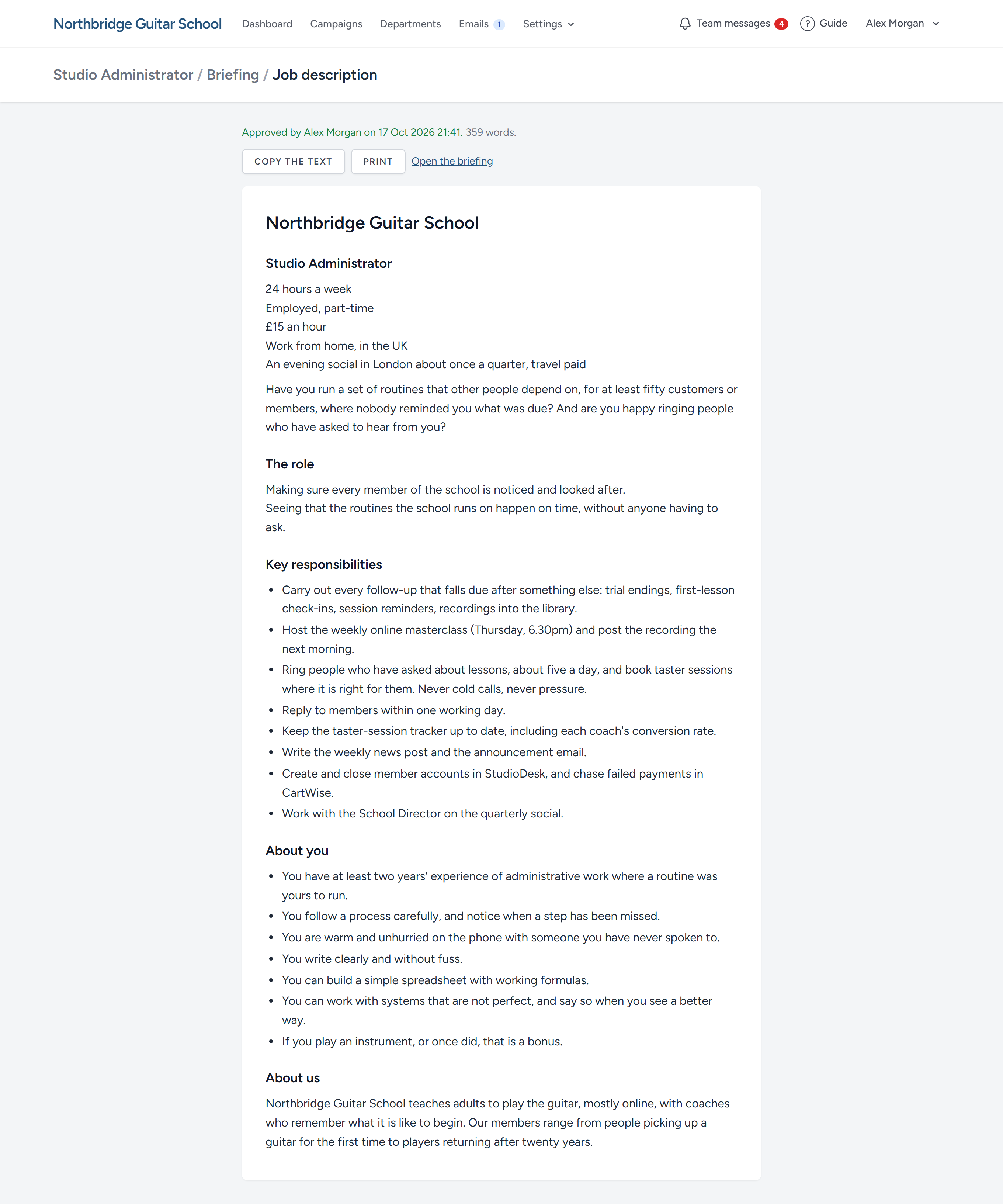
- The heading: The organisation and the title, then the bare facts a line at a time: Hours, how the person is engaged, pay, place.
- A question to the reader that the right person answers "yes" to at once.
- The role: Two or three lines on what the person is there to achieve.
- Key responsibilities: Eight to ten, each beginning with a verb, naming the systems, the people and the standards.
- About you: What the right person will recognise in themselves, the least experience first, and honest about what is hard.
- About us: In the organisation's own words.
It is short on purpose. Much of what the manager said, about what went wrong before and about how success will be recognised, is not lost: It goes into the person specification in the next step, where it is turned into criteria, each with what a good answer meets.
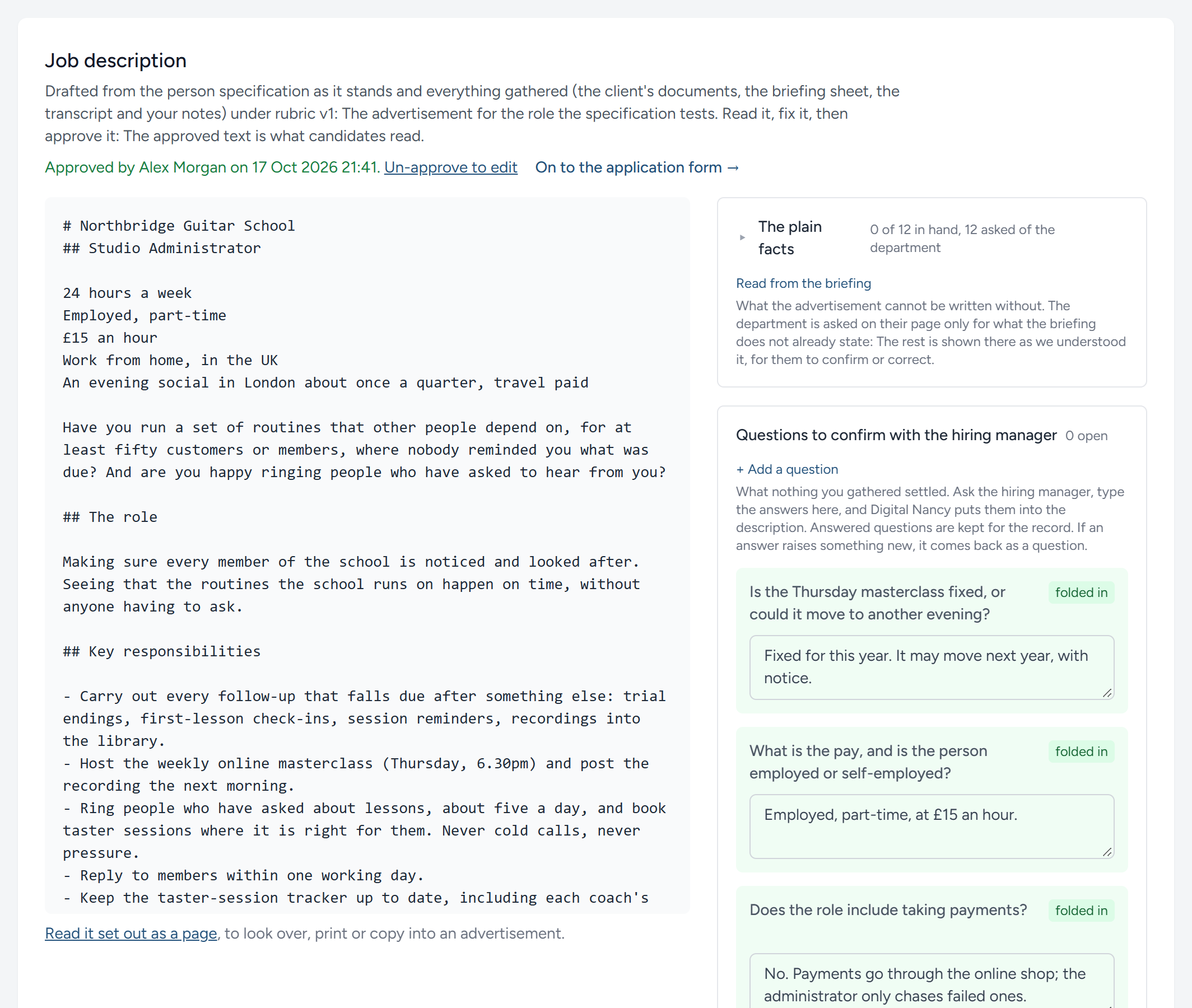
The questions it could not settle
Digital Nancy does not guess at what she was not told. Where the description needs a fact nobody gave, she leaves the question in that place, in double square brackets: [[what is the pay?]]. Those are the gaps, and they are listed above the description, each with the line it sits in. Show me where scrolls the text to it. The same questions, with any the description has no place for (the dealbreakers, for instance), are beside the description as Questions to confirm with the hiring manager, pay, hours and how the person is engaged first.
A description cannot be approved while a gap remains, however the text got there: The button says how many are left, and if one slips through an edit the approval is refused and the gaps are named. If a fact is genuinely not needed, delete the brackets in the text; that is the deliberate act that clears it.
- Put each question to the manager.
- For a plain fact, type the answer in the gap's own box and click Put it in: The fact replaces the question in the text, and the matching question in the list is marked as answered. Nothing is sent to Digital Nancy.
- For an answer that needs rewording around it, type it beside the question in the list and click Fold answers into the job description. Digital Nancy corrects the description and keeps your answers on record.
A client viewer sees the open questions on their own campaign page, under Questions we have for you, and can answer them there. A question about one of the twelve plain facts is not shown to them twice: Their page asks the fact itself, once, under The plain facts, and their answer lands beside the description's question here all the same. The answer arrives beside the question in this list, marked as theirs with the day, and you are emailed: Read it, change it if you must, and fold it in as you would your own. Once the job description is approved the client's page shows nothing open.
The plain facts
Above the open questions, The plain facts says how many of the twelve the advertisement needs are in hand, and how many the client is being asked. A client is never asked a fact the briefing already states: The first time their page is opened, Digital Nancy reads everything there is (the person specification as it stands, draft or published, the description as drafted, their documents, the briefing sheet, your notes, every transcript and any later meeting) for the twelve facts, taking the most exact statement where one source says a town and another a region, and keeps what it found until something new reaches the briefing or the specification changes, when the client's page reads it again. Open the list to see each fact with what was given on the client's page, what was read and where it was said, or Not stated anywhere yet, which is what the client is asked. Read again reads at once, where you would rather not wait for the client's next visit. 4. Read the whole description. It is yours to edit: Change any wording that the manager would not recognise. 5. When it is right, click Save and approve, at the top right. Nothing further can be drafted until a person has approved the job description.
Reading it as a page
Read it set out as a page opens the job description on its own, laid out as it will be read, with buttons to print it or to copy the text into your advertisement. The campaign page has the same link, Read the job description, in the briefing section.
What happens next
Once the job description is approved it is the advertisement: It appears on the application form's page unless you give that page wording of its own. The last part of the briefing builds the form from the published specification: See The application form.
This chapter was last revised on 30 October 2026.