Before anyone applies · Chapter 3
Your briefing
Answering the questions the role rests on, in your own words, on the page or by sending a document; and what happens to your answers.
In this chapter you will
- understand why the questions ask what the person must achieve, not what they will do all day
- answer them on the page, save as you go, and send them when they are ready
- send a document instead, if you have your answers written already
- give the plain facts the advertisement needs beneath the questions, and leave what is not settled
- see what was filled in for you from something you sent before
- answer beside a colleague, each in your own name, and read what they sent
- book the briefing conversation from the times your recruiter offers
- know who reads your answers, and until when you can change them
Why these questions
A good hire starts with a clear picture of what the person must achieve, how you want it done, and how you will know it is going well. Not a list of duties: Duties are easy to write and tell nobody whether the job was done well. So the briefing asks you questions like What do you need this person to achieve? and How will you know they are doing a good job in a year's time?
Your answers are the ground everything else is built on. Your recruiter reads them before the briefing conversation, draws from them what the successful person must be able to do, and writes the advertisement and the application form from that. Answer in your own words; a few sentences each is plenty, and more is welcome.
Where to answer
The email that asks you to answer has a link to the questions. Or open the campaign from your dashboard. The first part of its page is Your briefing, with the questions numbered down it and a line under each on why it is asked. The word beside the heading says where you are: To answer, or to send, 3 of 9 answered, Sent 14 Oct 2026 or Agreed.
The part is there for the person your recruiter has asked to brief them on the role. If it is not on your page, nothing is waiting on you; ask your recruiter if you think it should be yours.
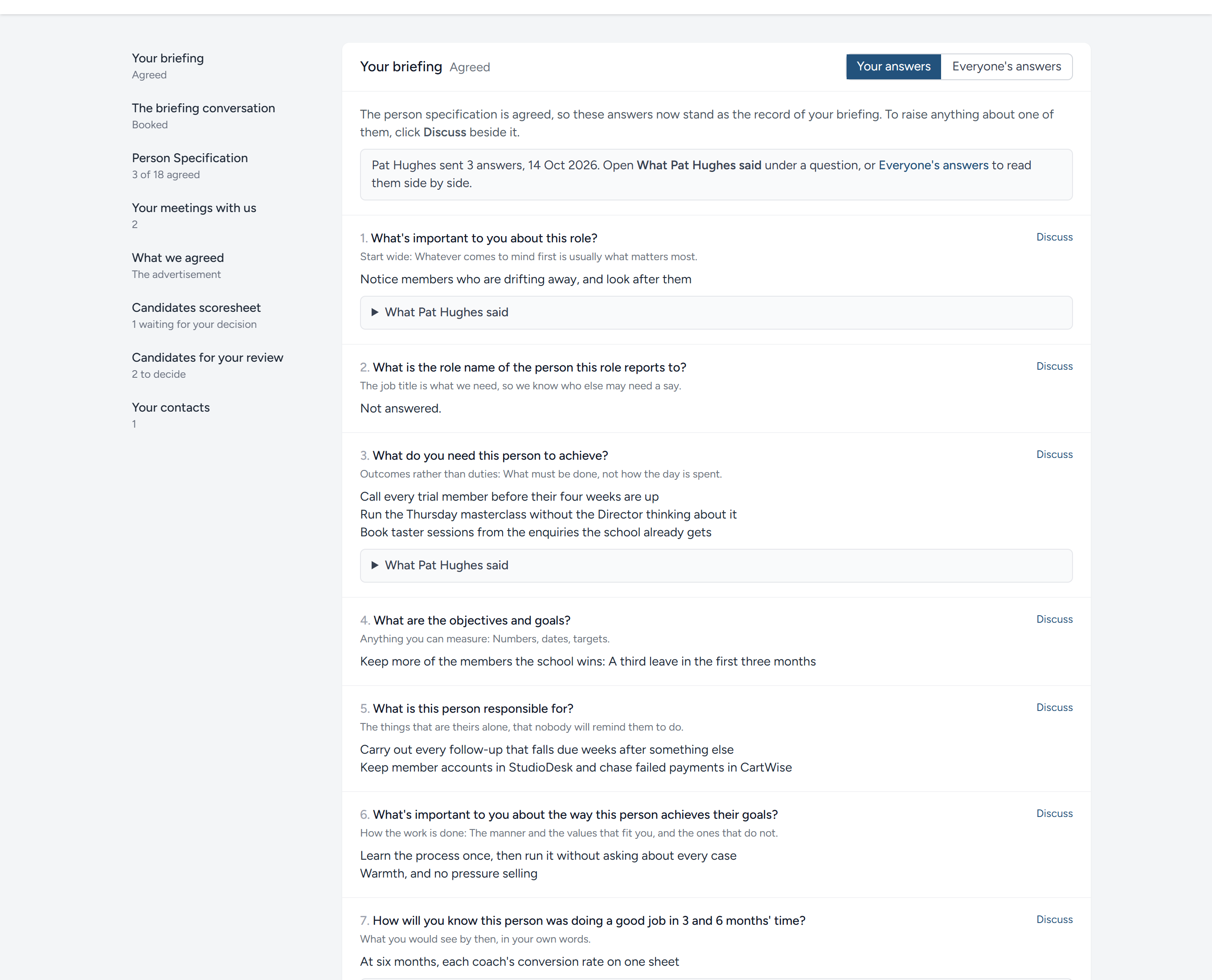
There are two ways to answer, and the switch at the top right of the part chooses between them.
Answer here
Each question has a box. Type into as many as you like, in any order.
- Save for later keeps what you have typed without sending it. Come back another day and it is there.
- Send your answers sends everything you have answered to your recruiter. You are asked to confirm; then the part says when they were sent.
After sending you can still change an answer, or answer one you left blank, and click Send the changes. Your recruiter is told each time.
Send a document
If your answers are already written, in a Word document, a PDF, a spreadsheet or plain text, click Send a document, choose the file and click Send the document. Up to five files can go at once, each up to 20 MB. What you have sent is listed at the foot of the part, and you can download it again from there.
A document and typed answers can both be sent. Your recruiter reads everything together, and if the same thing is said twice, nothing is lost.
The plain facts beneath
Under Your briefing is a second part, A few plain facts: The hours, the pay, where the work is done, how the person is engaged, the systems by name, who the person reports to, and the rest. The advertisement cannot be written without them, and a candidate decides whether to apply on them, so they are asked with the questions rather than after. Each has a line to answer in and a word on what is wanted; a number is best wherever there is one. Answer what you know and leave the rest: Anything not settled on your side yet is better talked through than guessed. Beside them you can send an organisation chart, a picture or a PDF. The part has a chapter of its own: Questions we have for you.
Answers filled in for you
Where you have already sent something, an email or a document, your recruiter may have drawn your words from it under each question before you ever opened the page. Such an answer is marked From what you sent us. Read it, change anything that is not quite what you meant, and send. Once you have typed into a box, the answer is yours.
When more than one of you answers
The person who will manage the role is seldom the only one with a view of it. The owner knows what the hire is for; the person at the next desk knows what goes wrong on a Tuesday afternoon. Both are worth having, and the briefing is better for the difference between them. So more than one of you can be given Your briefing on the same campaign, and each of you answers in your own name.
A line at the top of the part says who else is answering and where they have got to: Pat Hughes sent 3 answers, 8 Oct 2026, or has begun, and not sent yet. Nothing a colleague has typed is shown until they send it: Until then you know only that they have started, and the same is true of yours.
Answer in your own words first. What strikes you may not be what struck them, and it is the difference your recruiter wants, not an agreed line. Then, under any question a colleague has sent an answer to, What Pat said opens to show it, with their name and the day they sent it. Everyone's answers, at the top right of the part, lays the questions out one after another with each person's answer beside the others, yours first, so you can read the whole picture at once.
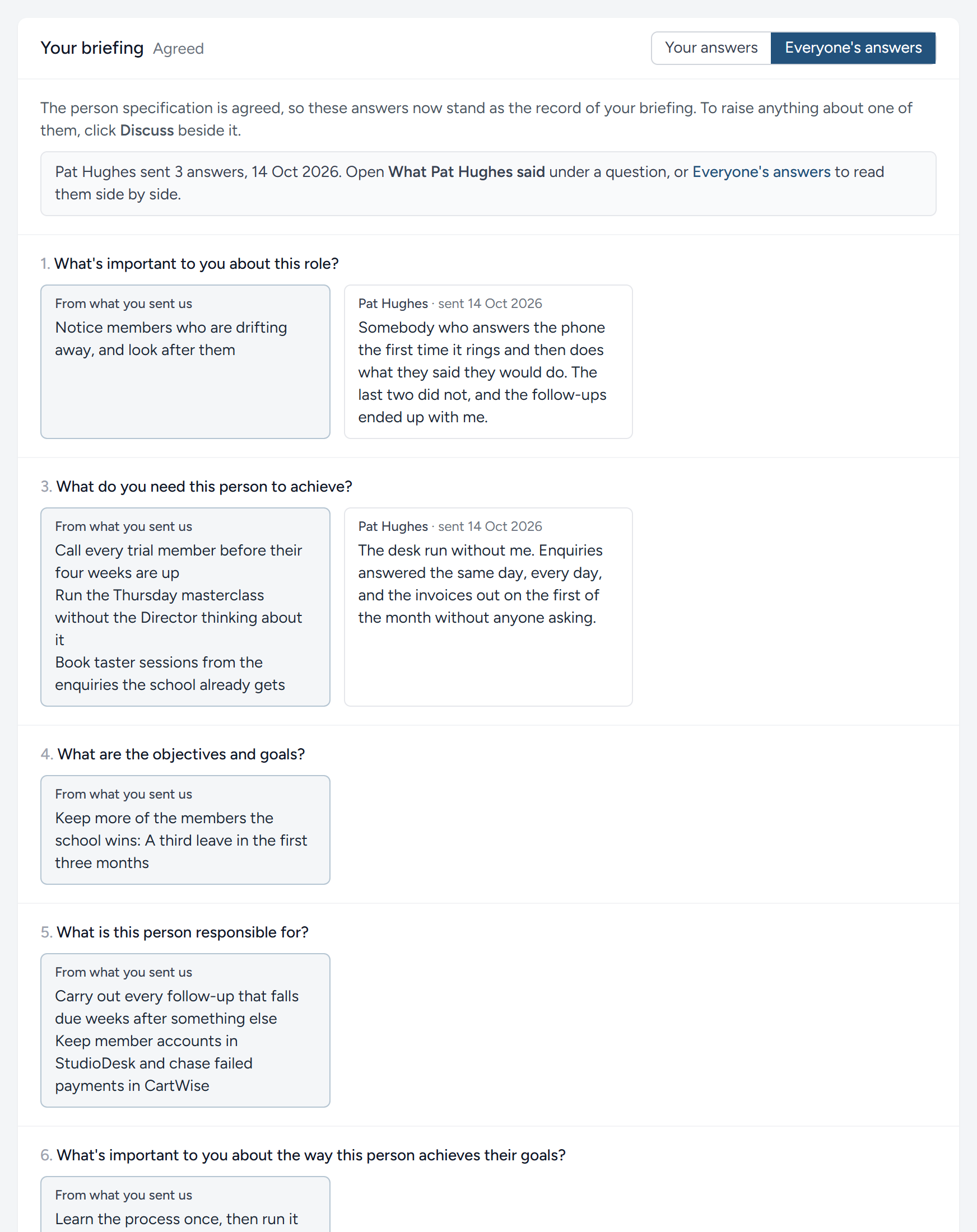
Each of you sends your own answers, and each sending is a document of its own, in your name. Where two of you have said different things, your recruiter does not pick one quietly: It becomes a question for the briefing conversation, and the hiring manager settles it there.
Booking the conversation
Once your recruiter has read what you sent, they will want to talk it through: The examples behind your answers, the numbers where there were none, and whatever the questions left open. Rather than trading emails to find a time, they offer a few, and the part The briefing conversation appears under your briefing with the times on it, grouped by day, in the zone named at the top. You are emailed too.
Pick the time that suits you and confirm. That is the booking: Your recruiter is told, and you are both emailed a calendar file that puts it in your calendar. The part then shows the time, how long it takes, who you will talk to and where. If something comes up, Take the booking back frees the time and you can pick another; or write to your contacts, at the foot of the page, and say when suits.
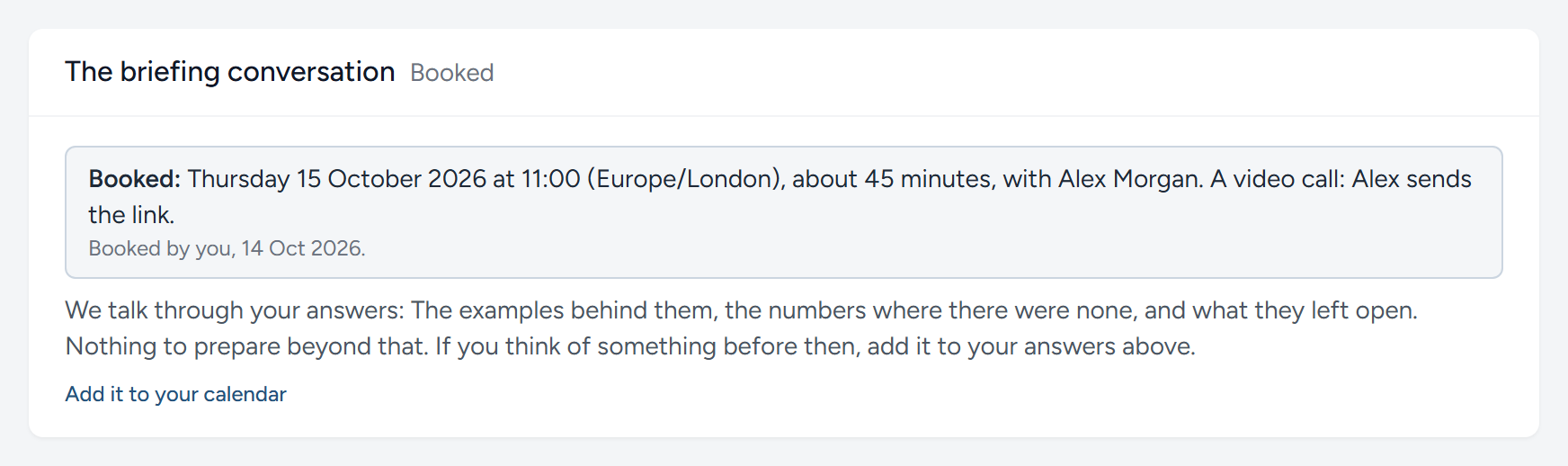
You can book only once your answers are sent: The conversation builds on them, and the page says so until they are. If a colleague books instead, the part shows their name, and one booking stands for the campaign.
Who reads your answers, and when they stand
The moment you send, your answers reach the people running your campaign, and they are emailed to say so. The answers go into the briefing alongside everything else you have sent.
You can change your answers until your recruiter has settled what the person must be able to do, the step called Person Specification on your dashboard. From then on the part says Agreed, and the answers stand as the record of your briefing: You can read them, and discuss any of them, but not change them.
This chapter was last revised on 30 October 2026.